
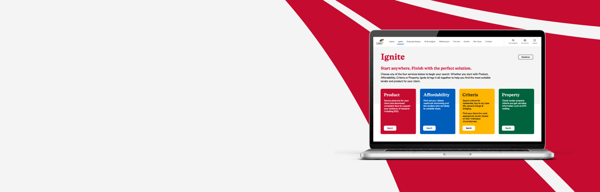
Ignite support

Resource centre

Get started with L&G Ignite

Whether you're looking to learn a new feature, refresh your knowledge, or find an answer to a specific question, you'll find everything you need here.

Explore video guides covering every area of Ignite, browse our FAQs for quick answers, and access additional support if you need further assistance.

Walkthrough video

Complete end-to-end demonstration of Ignite and its four connected pillars.

L&G thumbnail
Registration required

Video library

Criteria

L&G thumbnail

How to use the Criteria pillar / 22 Jul 2026 / 03:01

L&G thumbnail

Lender Notes / 22 Jul 2026 / 03:01

Property

L&G thumbnail

How to use the Property pillar / 22 Jul 2026 / 02:01

Affordability

L&G thumbnail

How to use the Affordability pillar / 22 Jul 2026 / 08:01

Product sourcing

L&G thumbnail

Sourcing Products / 22 Jul 2026 / 08:01

L&G thumbnail

ESIS and EOR Documentation / 22 Jul 2026 / 03:01

Work Faster with Ignite

Discover features designed to save time and reduce repetition throughout the sourcing journey.

L&G thumbnail

Quick Source / 22 Jul 2026 / 01:01

L&G thumbnail

Using Filters / 22 Jul 2026 / 04:01

L&G thumbnail

Saved Searches / 22 Jul 2026 / 01:01

Personalise your experience

Configure Ignite to work the way you do.

L&G thumbnail

System Configuration / 22 Jul 2026 / 04:01

FAQs

Can't find what you're looking for? Browse our FAQs for answers to common questions.

Select a filter

Account and Access

Yes. L&G Ignite is available to all regulated mortgage advisers, whether you are directly authorised or an appointed representative.

Yes. If you currently access Ignite through L&G Mortgage Club's ClubHub, you can log in directly to Ignite using the same email address and password.

When you access Ignite directly, you'll have access to a whole-of-market sourcing system, allowing you to search criteria, affordability and products, as well as view multiple payment route options.

Club Hub is the members-only area for L&G Mortgage Club. It provides access to member-exclusive content and allows you to submit and track procuration fee claims. When accessing Ignite through ClubHub, only L&G Mortgage Club procuration fees are displayed.

Ignite supports all major web browsers.

While the platform can be accessed on tablets and mobile devices, we recommend using a desktop or laptop for the best experience due to the amount of information displayed during sourcing and research.

Use the Forgot Password option on the login screen to securely reset your password.

Support, Billing and Security

You can contact our dedicated support team using the live chat function available in the bottom-right corner of the Ignite platform.

Yes. The Ignite Resource Centre is available from the main Ignite navigation and includes a range of training videos and frequently asked questions to help you get the most from the platform. If you need further help, you can contact our dedicated support team using the live chat function in the bottom-right corner of Ignite.

Video walkthroughs, FAQs and training resources can be found on the Ignite Resource Centre.

We're always looking to improve Ignite. You can submit feedback and feature suggestions directly to the team using the "Give Feedback" button at the top right of the page.

If you're on a monthly rolling subscription paid by Direct Debit, we require 30 days' notice to cancel your subscription. Your subscription can be managed in the “Admin” section of Ignite.

Yes. Data held within Ignite is protected under L&G’s wider information security framework, which is certified to ISO 27001 standards.

Mortgage Club procuration fee claims must be submitted through ClubHub. Simply log in to ClubHub and follow the claims process from there.

CRM Integrations and Settings

Ignite does not currently offer a manual import or export facility. However, if your client information is stored within a supported CRM system, client data can automatically populate into Ignite when using the integration.

Yes. Ignite currently integrates with:

  • OMS
  • Smartr365
  • Client Tree 

We're continually reviewing additional integrations. If your CRM isn't currently supported, please get in touch.

If your CRM is not currently supported, contact Ignite’s Head of Customer Success at hayden.richardson@landg.com.

Customer feedback plays an important role in helping us prioritise future integrations.

Yes. If you're the account holder or billing contact and have multiple licences associated with your subscription, you can manage user access permissions for your team via the “Admin” section in Ignite.

You can update the firm details displayed on your ESIS documents by navigating to: 

My Account > Firm details & Document Preferences

Navigate to:

My Account > Fees & True Cost 

Any standard broker fees you set will automatically be included on ESIS & EOR documents generated through Ignite.

There are two ways to configure True Cost calculations: 

For a single search

  • Select Fees & True Cost from the product results screen
  • Choose which fees to include
  • Decide whether applicable fees should be added to the loan amount

As a default setting

  • Navigate to My Account > Fees & True Cost
  • Save your preferred configuration for future searches

If your preferred payment route isn't listed in Ignite, select 'Other' from the payment route dropdown menu. This will allow you to enter the payment route name and the amount (£) you would like to appear on the ESIS.

If you'd like us to add the payment route to Ignite, please let us know using the 'Give Feedback' button. We'll review your request and work to make it available in a future update.

Support, Billing and Security

You can contact our dedicated support team using the live chat function available in the bottom-right corner of the Ignite platform.

Yes. The Ignite Resource Centre is available from the main Ignite navigation and includes a range of training videos and frequently asked questions to help you get the most from the platform. If you need further help, you can contact our dedicated support team using the live chat function in the bottom-right corner of Ignite.

Video walkthroughs, FAQs and training resources can be found on the Ignite Resource Centre.

We're always looking to improve Ignite. You can submit feedback and feature suggestions directly to the team using the "Give Feedback" button at the top right of the page.

If you're on a monthly rolling subscription paid by Direct Debit, we require 30 days' notice to cancel your subscription. Your subscription can be managed in the “Admin” section of Ignite.

Yes. Data held within Ignite is protected under L&G’s wider information security framework, which is certified to ISO 27001 standards.

Mortgage Club procuration fee claims must be submitted through ClubHub. Simply log in to ClubHub and follow the claims process from there.

Need more help?

If you can't find the answer you're looking for in our videos or FAQs, our live chat team is on hand to help. 

Use the Live Chat function within Ignite to speak directly with a member of the support team. 

Smiling person in call centre